• About Heli

HeliFromFinland

~ Heli's thoughts on Machine Learning, AI, AI Agents, Database Designing, Oracle SQL Developer Data Modeler, User Groups and much more

HeliFromFinland

Category Archives: Data Modeler

Oracle SQL Developer Data Modeler

Why doesn’t the change in Memory Settings take effect?

18 Saturday Oct 2014

Posted by Helifromfinland in Data Modeler

≈ Leave a comment

I have changed the memory settings (AddVMOption -Xmx1768M) in datamodeler64.conf but it does not change anything. Why?

Because you must remove the settings from product.conf first. As long as you have them in product.conf those settings are follower.

So either

  • change product.conf or
  • remove the memory settings from product.conf and change the datamodeler.conf / datamodeler64.conf file.

My personal opinion is that datamodeler.conf / datamodeler64.conf is better place for changes but both choices work..

Handling Change Requests with Data Modeler

18 Saturday Oct 2014

Posted by Helifromfinland in Data Modeler

≈ 1 Comment

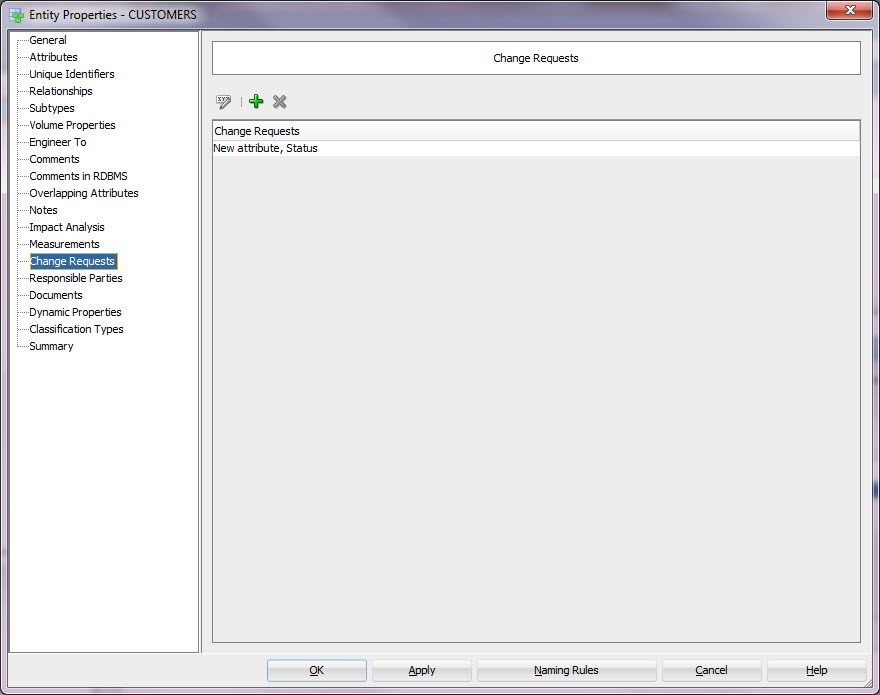
Did you know that you can also add change requests to Data Modeler? And you can easily get reports on unfinished change requests…

Below you can see a new change request I added to an entity Customer already on Oct the 2nd.
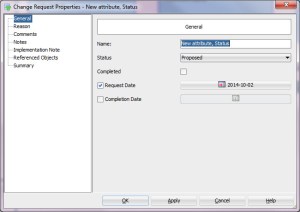
ChangeRequest

I add change requests quite frequently and definitely have no time to follow them all manually. How do I know that all have been finished?

I go to Find (search), the binoculars icon on the Tool bar.

Find

I select the Advanced Mode and select Change Request as “Object Type”. Then I can see all the properties for a change request on the list of “Searchable Properties”. I select “Completed” and define it should be false.
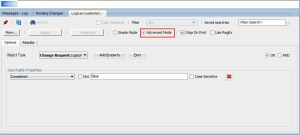
Search

Press Find.

And voilá. In Results tab I see all the change requests that are not finished.

But. I need a report to our project manager who makes sure somebody finishes this task…

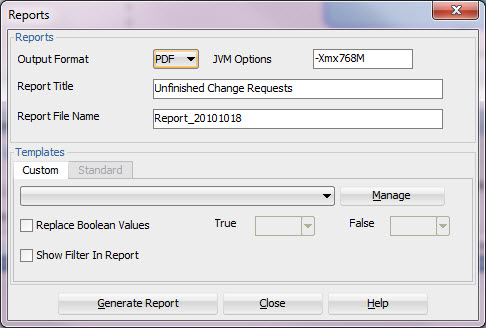
I press the Report button.
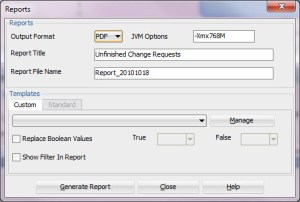
Report

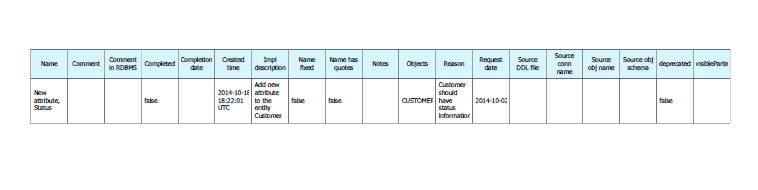
I select PDF as the Output Format (I could select HTML, XLS or XLSX if I want), I give the report and the file a name. I could use an existing or create a new template but I am happy with the default report. I press Generate Report. And here we are…
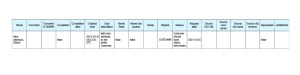
Result

I am ready to inform the project manager…

But what if the project manager wants to edit the change requests but refuses to learn how to use Data Modeler? Do I need to be his/her secretary? no…

I run the report in XLS or XLSX format and pass it to him/her to edit with Microsoft Excel. Then I get it back. The project manager edited the status, completion date and notes (“I have closed this change request/Tim”). I go ahead and right-click the Logical Model in Data Modeler and select “Update model with previously exported XLS (XLSX) file”.
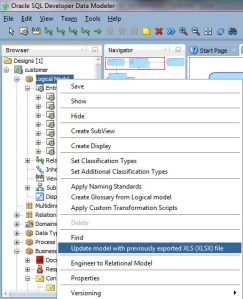
Update

I select the report file Tim sent me. And let it go…

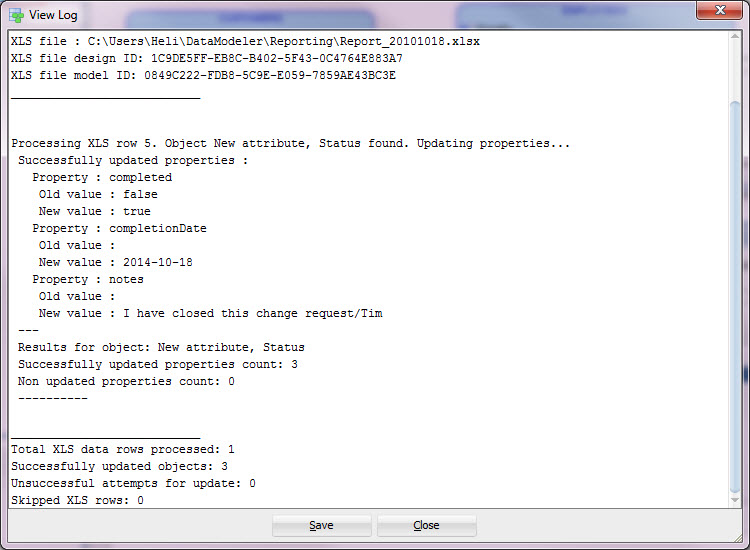
Data Modeler gives me a log on what has been updated:
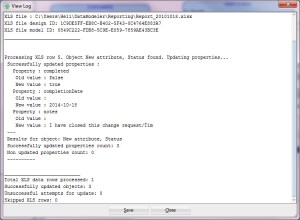
TheLog

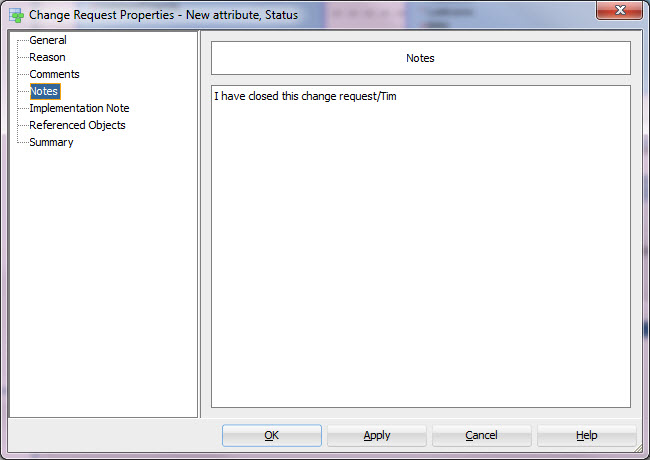
And to prove to you it was really updated, see the Notes for the change request in Data Modeler:

notes

Was that easy? It sure was!

Why did I want to have the change request in Data Modeler? Because now I have all the documentation about the database in one place. On the entity I can always go and check what has been changed and when.Entity

And I can make Impact Analysis based on the fact where this entity has been used.
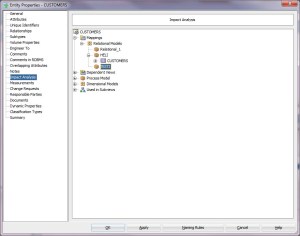
ImpactAnalysis

Maybe you should think about using Change Requests?

I want a Subversion repository!

09 Saturday Aug 2014

Posted by Helifromfinland in Data Modeler

≈ 2 Comments

I needed a Subversion repository for my tests with Data Modeler. I want it to be on my laptop because I might not have internet connection to the real Subversion repository and this will be my sandbox anyway. Nothing fancy but a real version control. I do not feel like installing and configuring and finding out that the version of the product is too old/too new etc. You know what I mean, don’t you?

Ok, this is how to do the whole thing easily without any gray hair. I created a Subversion repository with SQL Developer. Just go to “Team” menu, “Subversion” and “Create Local Repository”. Follow the instructions and there you are: a brand new Subversion repository. Tip: create the folder for your repository before creating the repository, since the tool will not create it for you.

But I wanted to use it with Data Modeler and I use the standalone product. How does this help me? I am now in SQL Developer and have a repository but what next? Go to Versions Browser in SQL Developer, right-click and select “Export Connections…”. While the SQL Developer created my repository it also created the connection for it and I can use it also with Data Modeler. Just select the location for your connection file and press OK. Then close SQL Developer and open Data Modeler. Go to Versions Browser (if you cannot see it go to the Team menu and select Versions), right-click and select “Import Connections…”. Select the file you just saved and that’s it.

Now you have a Subversion repository and a connection from Data Modeler to that.

Bonus: You might want to create branch, tag and trunk in your directory. Just go to the Versions Browser again. Select your new repository, right-click and select “New Remote Directory…”. Then type “branch” for the “Directory Name” and press ok. That’s it. Do the same for tag and trunk and you are all set for version control and data modeling. Enjoy!

Sharing tables

29 Thursday May 2014

Posted by Helifromfinland in Data Modeler

≈ Leave a comment

Did you know that Data Modeler allows you to share tables from another design? And updates them automatically?


If you did not know here’s a short note about it.

Open both designs in Data Modeler.

Open the relational diagram where you want to bring the table from the other design. Select the table from Browser and drag-and-drop it to the relational diagram. And here it is.

If you want it to be updated automatically (if somebody adds new columns etc on the original design) go to Tools, Preferences and select Data Modeler, Model, Relational. Enable Synchronize Remote Objects When Model Is Loaded.

If you prefer to update manually right-clicking the relational model in Browser and select Synchronize Remote Objects.

Data Modeler 4.0.2

14 Wednesday May 2014

Posted by Helifromfinland in Data Modeler

≈ Leave a comment

Version 4.0.2 (4.0.2.840) came out on May 5th. I was told there is a lot of new things and bug fixes but now after using it for a while I am amazed! All the bugs I reported on 4.0.1 (!) have been fixed. All of them! And I did not report them immidiatelly when 4.0.1 was out… The team in Oracle is just great!

BTW did you notice that in 4.0.2 you can also change the box-in-box presentation on a fly just by right clicking on the logical model and selecting Notation?

How do I draw an arc on my logical model?

22 Tuesday Apr 2014

Posted by Helifromfinland in Data Modeler

≈ Leave a comment

Select the relationships you need for the arc (hold Ctrl to select) AND the entity. Then the arc symbol on tool bar is enabled and you can draw the arc.

I do not want to see the FK names in my relational diagram

18 Friday Apr 2014

Posted by Helifromfinland in Data Modeler

≈ Leave a comment

What should I do?

Simple. Just select from top bar View -> View details and select what you want to see. If you take All details you will see all details, including the FK names. All details is the default so go and see what is your preferred setting for information in relational diagram! This can be changes when ever you want. Hundred times a day if wanted:)

Data Modeler 4.0.1

11 Friday Apr 2014

Posted by Helifromfinland in Data Modeler

≈ Leave a comment

Have you tried it yet?

Please do so! This version is the best so far. So many new features and improvements. I asked for many things for this version but totally forgot them. Now to my surprise they are here. And why am I surprised because I know the best team is working on Data Modeler!

Design level properties (used to be on preferences) in right place, handling sensitive information, masking, …

On the next version I want to see synonyms working so I better start telling the best team in Oracle what I want…

Adding a new Database Site

08 Tuesday Apr 2014

Posted by Helifromfinland in Data Modeler

≈ Leave a comment

You probably want to have database sites with names you understand or you might want to have several physical models for same technology (Oracle 11g, Oracle 12c, …) maybe for test and production. Whatever the reason is you might want to have database sites that do not exist in Data Modeler already. How to do that?

Go to Tools -> RDBMS Sites Administration

Press Add site: define the name and select the technology (RDBMS Type)

Apply

Close

Now you will have the newly created site on your list of Database Sites when creating a new physical model.

Why all my DDLs are just general DDLs?

05 Saturday Apr 2014

Posted by Helifromfinland in Data Modeler

≈ Leave a comment

You want to generate the DDLs for creating the object to database. File -> Export -> DDLs. And what you get is very general DDLs. No tablespaces, no storages, nothing… What is wrong?

If you export the DDLs without opening the physical model this is what you get. There can be a reason you actually want to do so. For example the DDLs for your test database?

If you open the physical model the DDLs will look totally different after File->Export->DDLs…

← Older posts
Newer posts →

Subscribe

  • Entries (RSS)
  • Comments (RSS)

Archives

  • December 2025
  • October 2023
  • October 2022
  • October 2021
  • April 2020
  • October 2019
  • October 2018
  • June 2018
  • December 2017
  • October 2017
  • September 2017
  • July 2017
  • April 2017
  • March 2017
  • February 2017
  • January 2017
  • December 2016
  • November 2016
  • October 2016
  • September 2016
  • August 2016
  • July 2016
  • June 2016
  • May 2016
  • April 2016
  • March 2016
  • February 2016
  • December 2015
  • November 2015
  • October 2015
  • September 2015
  • August 2015
  • July 2015
  • June 2015
  • May 2015
  • April 2015
  • March 2015
  • January 2015
  • December 2014
  • November 2014
  • October 2014
  • September 2014
  • August 2014
  • June 2014
  • May 2014
  • April 2014
  • January 2014
  • December 2013
  • November 2013

Categories

  • Data Modeler
  • Database design
  • Events
  • General
  • Machine learning and AI
    • AI Agents
  • Oracle
  • SQL Developer

Meta

  • Create account
  • Log in

Blog at WordPress.com.

Privacy & Cookies: This site uses cookies. By continuing to use this website, you agree to their use.
To find out more, including how to control cookies, see here: Cookie Policy
  • Subscribe Subscribed
    • HeliFromFinland
    • Join 53 other subscribers
    • Already have a WordPress.com account? Log in now.
    • HeliFromFinland
    • Subscribe Subscribed
    • Sign up
    • Log in
    • Report this content
    • View site in Reader
    • Manage subscriptions
    • Collapse this bar
 

Loading Comments...