ACED Briefing and OOW16

I am home! After a very intense 10 days in San Francisco.

Quite jetlagged and so much work waiting for me to finish  🙂 But I am happy. It was such a privilege to be able to attend both the Oracle ACE Director briefing and the Oracle Openworld 2016!

People often ask me, after the OOW, what is new in the Oracle space. I am sorry but I cannot answer that question. The ACED briefing has a very strict NDA that does not allow me to tell anything I heard during those two days and because I am always too busy during the OOW to really see and hear what is publicly announced I have decided not to say anything, just to be sure I do not violate the NDA. So please do not get upset that my answer is I do not say anything.

It all started with the ACED briefing at the Oracle HQ. I was staying at the Sofitel hotel with a beautiful view (too bad I was not in my room except for sleeping):

sofitel

The ACED briefing was for two days (Thursday and Friday), including highlights like meeting Thomas Kurian:
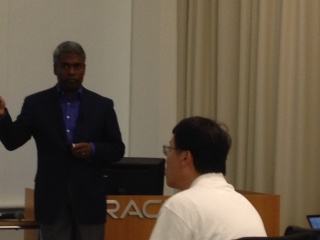
thomas

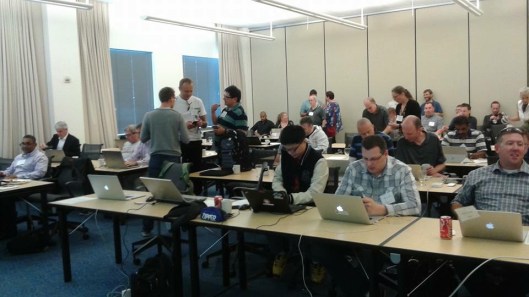
Working intensively with my friends and colleagues:
aced

And attending a morning exercise session by my friend Kent Graziano:

kent

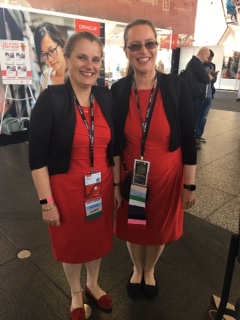
After the intense two days at the HQ we moved to San Francisco to start the OOW. I gave two sessions during the event: one about Big Data together with my friend Elise Valin-Raki and another sessions about (still) my favourite topic on how to design databases using Oracle SQL Developer Data Modeler. Elise and I were pretty cordinated with our dresscode:
bigdata

I also attended the WIT panel organized by OTN and Laura Ramsay:

wit

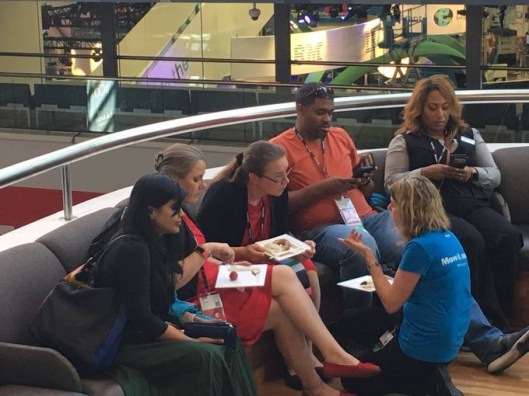
And stayed after the panel to talk with people and answer their questions as well as I could:
wit2

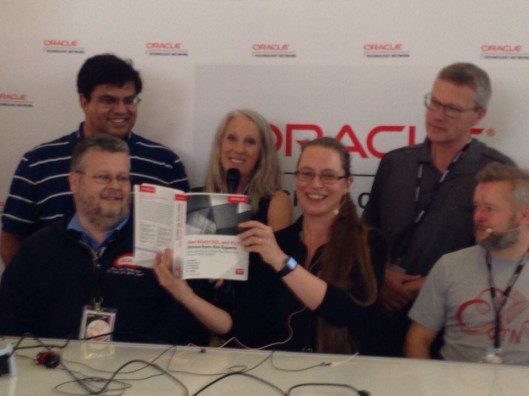
OTN and Oracle Press also organized a book signing event for our new book:
book1book2

It was a fun book to write. I hope you will like reading it 🙂

I am a member of the ACE community but also a member of the user group community. Part of that commitment is helping at the user group kiosk. I scanned everybody with my new toy 😀
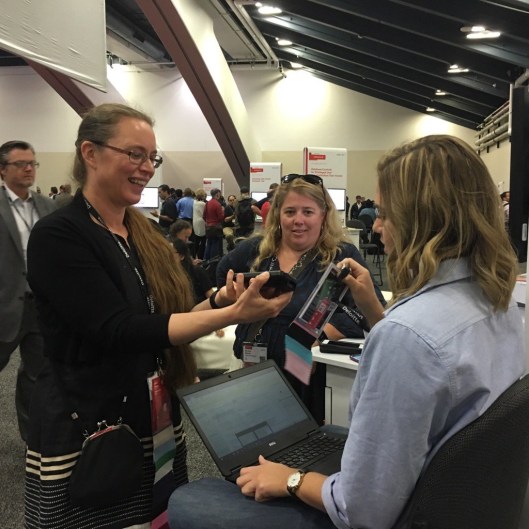
scanner

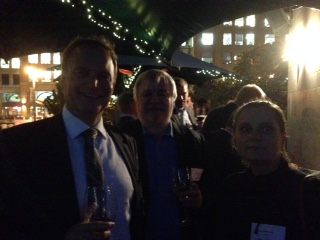
Besides of the huge amount of content OOW is also all about parties and meeting people. Every evening there are plenty of parties… This photo is from the reception organized by Loïc Le Guisquet:

loic

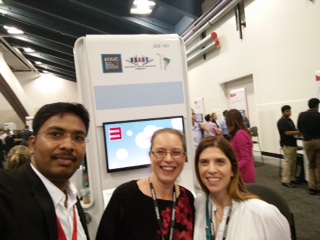
The best part of both these events is still meeting friends and making new friends. Just a few eaxmples 🙂

friends5friends6friends7friends1friends2friends3friends4ace

And to meet these friends from the Oracle community gets even more exciting when you start to know them better. This year I learned that my friend Arup Nanda is not just a great Oracle expert and a wonderful person but also a gifted artist. This is a painting he gave me as a present:

painting

I love it!

Now the OOW is over and I’m back to home again. It was a great 10 days. Thank you for letting me speak, thank you for all the great feedback and thank you Oracle ACE Program and OTN for treating me so well! I cannot wait for OOW17!


Cheers,

Heli

Data Modeler 4.1.5 is OUT!

I love the Oracle OpenWorld time: interesting things happen!

Data Modeler 4.1.5 is out but so is the EA for 4.2!

Go and download:

http://www.oracle.com/technetwork/developer-tools/datamodeler/downloads/datamodeler-087275.html


What’s new in 4.1.5? Plenty of bugs fixed:

“Date: September 2016

This list contains only a selection of higher priority bugs, customer bugs and issues raised by the community on the OTN Forum since the release of version 4.1.3.

24642626 – MODIFIED OBJECTS DO NOT APPEAR IN INCOMING CHANGES
23214498 – NEED TO DELETE TWICE WHEN DELETE STRUCTURED TYPE
24618730 – CANNOT GENERATE DDL WHEN TABLE HAS $ IN THE NAME – FOR AUTOINCREMENT COLUMN
24570374 – LIKE CONDITION IS IMPORTED AS LOV CONSTRAINT
22596042 – FOREIGN KEYS NOT RECOGNIZED IN SYNC USING THIRD PARTY JDBC DRIVER
23504656 – UDP LIBRARIES PUT INTO DESIGN’S FILES DIRECTORY ARE NOT LOADED
23258992 – [IMPLICIT] AS OWNER SHOULD NOT BE INCLUDED IN DDL FOR DB2/390
24009706 – ADVANCED SEARCH – CANNOT USE TWO OR MORE FILTERS WITH THE SAME PROPERTY
23561479 – DYNAMIC/USER DEFINED PROPERTIES DO NOT APPEAR IN SECOND LEVEL OBJECTS IN REPORT
23737449 – CHANGING PRIMARY KEY NAME IS NOT SAVED
22681021 – SAVED MODEL INCOMPLETE AFTER SAVE UPON EXIT
22761767 – LABELS IN RELATIONAL MODEL ARE NOT SIZED PROPERLY AND TEXT IS WRAPPED AND HIDDEN
22394744 – EDIT ONE DOMAIN PROPERTY – CAN NOT ADD COMMENT
22462199 – MANY TO MANY RELATIONSHIP NOT ENGINEERED PROPERLY – RELATIONSHIP ATTRIBUTES

Let’s talk more about EA 4.2 a bit later…


Cheers,

Heli

OOW16

It’s that time of year again, OOW is getting closer… This year I will have two presentations:

  • Introduction to the Big Data World [UGF2116]
    Sunday, Sep 18, 11:45 a.m. – 12:30 p.m. | Moscone South—305
  • Design Your Databases Using Oracle SQL Developer Data Modeler [CON2120]
    Monday, Sep 19, 4:15 p.m. – 5:00 p.m. | Park Central—Concordia

I hope to see you there!

I will also attend the #OTNWIT Panel on Sunday. You can find more information about it here: https://community.oracle.com/events/3592

Please join us!

Before OOW we will have the Oracle ACE Director briefing at the Oracle HQ. That is one of the highlights of my year 🙂

Oh, and this will be a bit special OOW too because my new book just came out:

SQL-231x300

I wrote it together with my good friends Arup, Brendan, Martin and Alex. Chet, our own Oraclenerd, was our tech editor. He also wrote the foreword together with my very own Oracle-dad Tim Hall. I hope you like the book! And if you want it signed OOW is a great place for that because we will all be there 🙂


See you soon in San Francisco!

— Heli


Delete Object/Delete View

What is the difference between Delet Object and Delete View?

If you right-click and object in a diagram there might be two options: Delete Object and Delete View. “Might” because the Delete View is only available if you have that object in more than one diagram.

DeleteObject

Delete Object removes that object totally from the design: from this diagram and from all diagrams where it exists. The object is totally deleted from the design. If the object exists in more than one diagram, you will also see the Delete View option. That will delete the object BUT only from this diagram, not from the whole design.

Let’s see an example with an entity called Product.

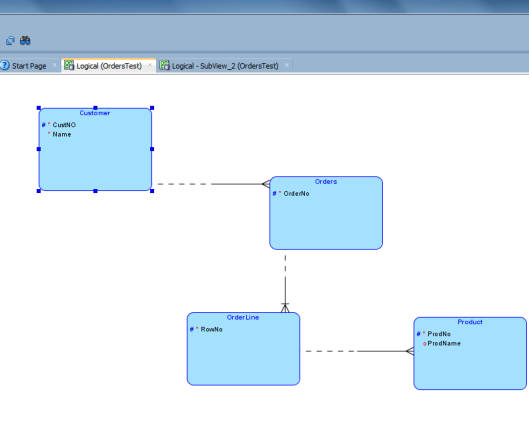
This is the Logical Model:

DeleteObject2

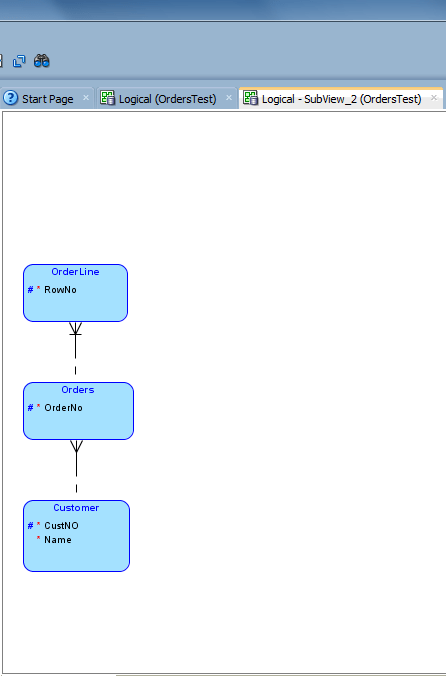
This is a subview:

DeleteObject3

Now in the subview I select Delete View for the entity Product.

The Logical Model still has the entity Product:

DeleteObject2

But the subview does not:

DeleteObject4


Name Substitution

Name Substitution can be used to change the name of an object (user, role, table, index, or tablespace) while generating the DDLs. These changes do NOT affect your design. The most common use case is that in test environment something is different from the production environment but not so much that it would be worth maintaining two separate physical models.

Let’s assume that everything is the same in both test and production except the schema owner of the objects: in production they are owned my PROD and in test by TEST. To be able to get the DDLs for creating tables for the test environment we double-click the design name (or right-click and select Properties) in Browser, then go to DDL | Migration.

NameSub1

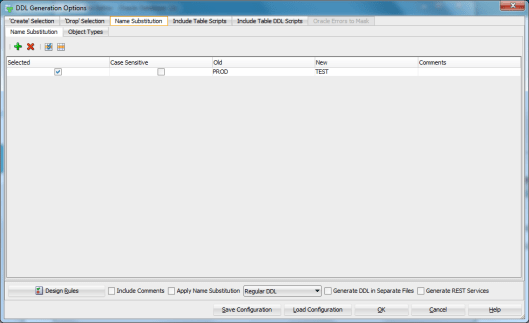
Press the green plus and define the rule for Name Substitution and press Apply.

NameSub2

Now the rule for changing word “PROD” to “TEST” has been defined but this will not cause any action while generating the DDLs unless you specifically tell the tool to use this.

Let’s generate the DDL (File | Export | DDL File). Now go to Name Substitution tab and make sure the rule has been selected (Selected is enabled):

NameSub3

You can also create new rules in this screen. Just press the green plus and add the rule.

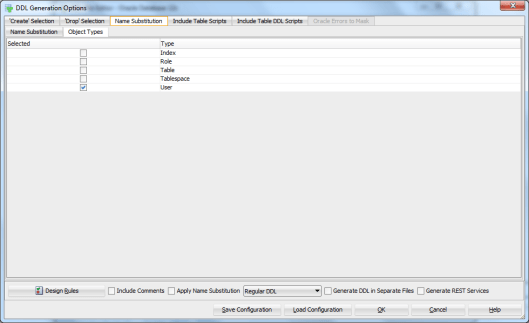
Now go to Object Types tab and select the object types you want this rule to be affecting:

NameSub6

Now you have defined the rule and which object it will be affecting but still if you now press OK (to generate the DDLs nothing will be changed). Next thing to do is to enable the Apply Name Substitution checkbox on the bottom of the screen:

NameSub7

Now press OK.

Instead of getting a DDL like this:

CREATE TABLE PROD.Customer
(
CustNO NUMBER (10) NOT NULL ,
Name   VARCHAR2 (100) NOT NULL
)
LOGGING ;
ALTER TABLE PROD.Customer ADD CONSTRAINT Customer_PK PRIMARY KEY ( CustNO ) ;

you get a DDL like this:

CREATE TABLE TEST.Customer
(
CustNO NUMBER (10) NOT NULL ,
Name   VARCHAR2 (100) NOT NULL
)
LOGGING ;
ALTER TABLE TEST.Customer ADD CONSTRAINT Customer_PK PRIMARY KEY ( CustNO ) ;


I know, I know. You can have the DDLs without the schema owner, connect in the database with the right credentials and problem solved without the schema owner added to the script. But I do make mistakes, like connect to a wrong database, so I prefer having the DDLs as human error free as possible. Besides this is just a simple example how Name Substitution can be used 🙂

Propagate Properties

Quite often we need to set the same properties for several objects in the physical model. It would be very time consuming if we do it one by one… Luckily the tool offers a way to do it much easier.

I would like to set the schema owner to all my tables to PROD. How do I do it?

First set the property for one of the tables:

Prop1

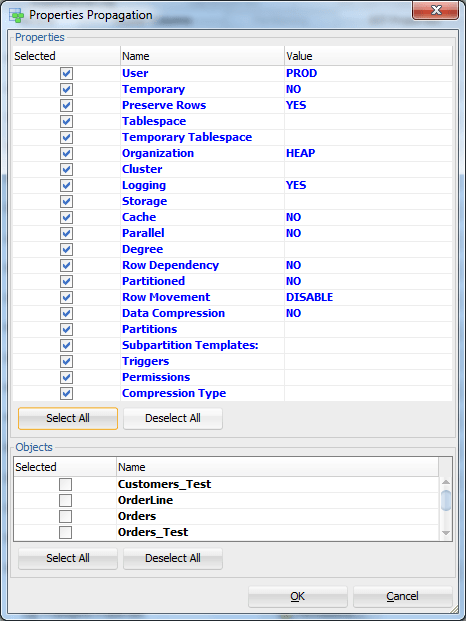
Then press Propagate Properties.

Prop2

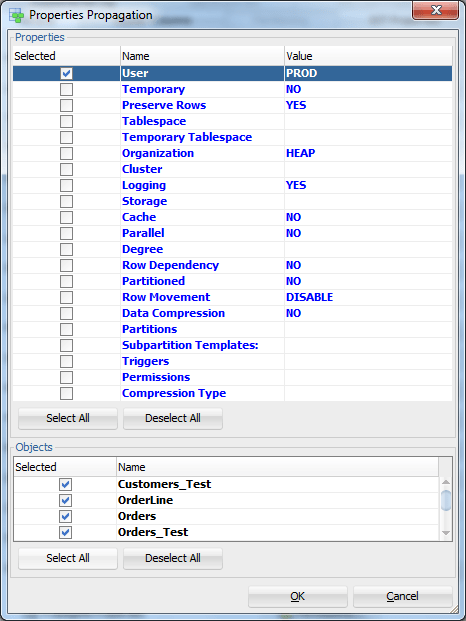
Since we only want to copy the property User, press Deselect All (in the upper part of the screen, Properties section), then select User:

Prop3

Select all the tables in the bottom of the screen by pressing Select All in the Object section of the screen:

Prop4

Then press OK.

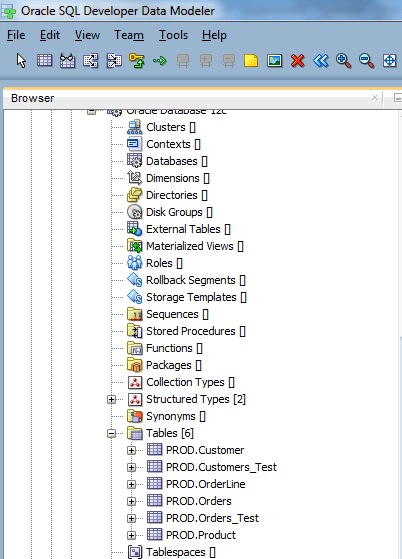
Now the schema owner for all the tables has been changed to PROD:

Prop5


Design Rules

Oracle SQL Developer Data Modeler offers you a way to make sure your design is of good quality. Making sure of the quality can be done very easily: it is all based on Design Rules.

DesignRules1


The rules are defined per category: General, Logical, Relational, Process Model and Physical. And under each category per element type of that category. For example for Logical: Entity, Attribute, Key and View. They are also defined as errors or warnings depending how serious they are.

DesignRules2

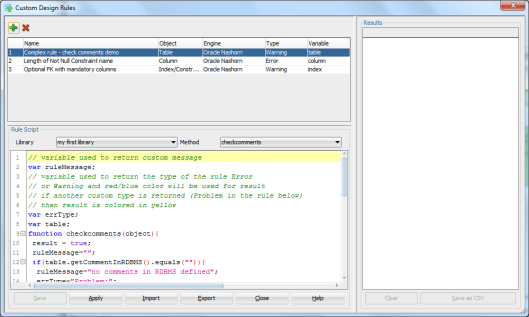
There are pre-defined Design Rules that can be found from Tools|Design Rules and Transformations|Design Rules and by selecting Tools|Design Rules and Transformations|  Custom Rules you can define your own rules:

DesignRules3

What does a Design Rule do? It checks that the rule defined has been obeyed. In pre-defined rules you will find rules like

  • Identify entities without attributes
  • Check for entity maximum name length
  • Identify attributes without datatype
  • etc

To check the Design Rules you can either go to Tools|Design Rules and Transformations| Design Rules or press the Design Rules button that can be seen in several places in Data Modeler while designing the database, then select Apply All. For example when generating the DDLs you can find the button on the lower left corner:

DesignRules4

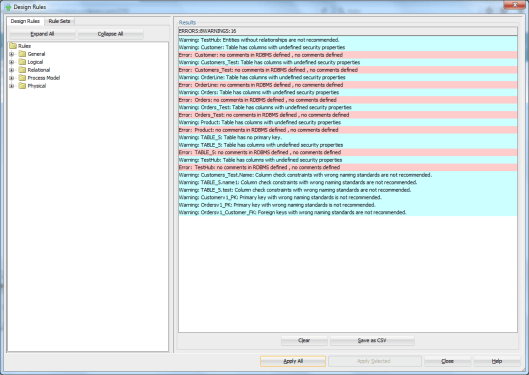
Let’s select Design Rules and Apply All:

Now you can see all the errors (red) and warnings (blue) that exists in your design compared to the Design Rules:

DesignRules5

Double-click on one of the result rows and it will take you directly to the place the problem exists and you can fix it.

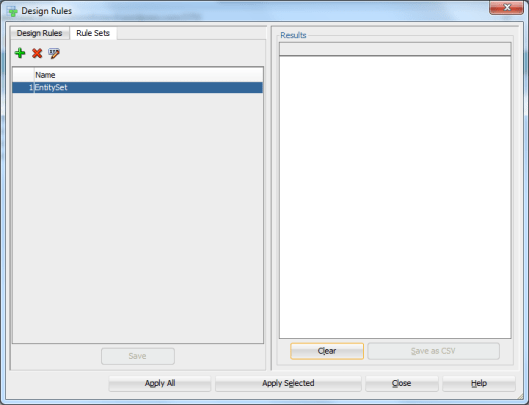
If you do not want to execute all the rules at a time you can define Rule Sets. Select the Rule Sets tab and press the green plus to add a new Rule Set. Define the name for it and press Save.

DesignRules6

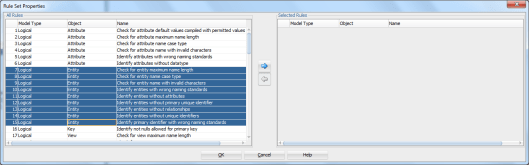
Then press the Properties icon (XYZ and a pen).Select the Design Rules wanted from the list and press the arrow pointing to right.

DesignRules7

Press OK.

Now if you Press Apply Selected instead of Apply All and then select the Rule Set you want, only those Rules are checked.