• About Heli

HeliFromFinland

~ Heli's thoughts on Database Designing, Oracle SQL Developer Data Modeler, User Groups etc.

HeliFromFinland

Author Archives: Helifromfinland

EA2 for both Oracle SQL Developer and Data Modeler 4.2

22 Thursday Dec 2016

Posted by Helifromfinland in Data Modeler

≈ Leave a comment

Early Adopter 2 for version 4.2 was relesed for both Oracle SQL Developer

http://www.oracle.com/technetwork/developer-tools/sql-developer/downloads/sqldev-ea-42-3211401.html

and Oracle SQL Developer Data Modeler

http://www.oracle.com/technetwork/developer-tools/datamodeler/downloads/dm-ea-42-3215768.html

These releases are mostly bug fixes for EA 4.2.

Here is very briefly what is new in SQL Developer 4.2:

http://www.oracle.com/technetwork/developer-tools/sql-developer/sqldev-newfeatures-v42-3211987.html

and in Data Modeler 4.2:

http://www.oracle.com/technetwork/developer-tools/datamodeler/downloads/dm-newfeatures-42-3220396.html

You can learn more about the new features in Data Modeler 4.2 by reading my previous posts about the topic :

What’s new in Data Modeler 4.2EA? Part 1: Design Rules

What’s new in Data Modeler 4.2EA? Part 2: Change Requests

What’s new in Data Modeler 4.2EA? Part 3: A View and a Query

What’s new in Data Modeler 4.2EA? Part 4: New preferences for Reporting

What’s new in Data Modeler 4.2EA? Part 5: Generate HTML report TOC in separate file

What’s new in Data Modeler 4.2EA? Part 6: Include select statement in views reports

What’s new in Data Modeler 4.2EA? Part 7: Embed diagrams (HTML&PDF)

What’s new in Data Modeler 4.2EA? Part 8: Group objects by schema

What’s new in Data Modeler 4.2EA? Part 9: End of the serie

New reports in Data Modeler 4.2EA

Go and Download!


P.S. APEX 5.1 is also out!

http://www.oracle.com/technetwork/developer-tools/apex/downloads/download-085147.html


Data Modeler Reports: Templates and Configurations

11 Sunday Dec 2016

Posted by Helifromfinland in Data Modeler

≈ 1 Comment

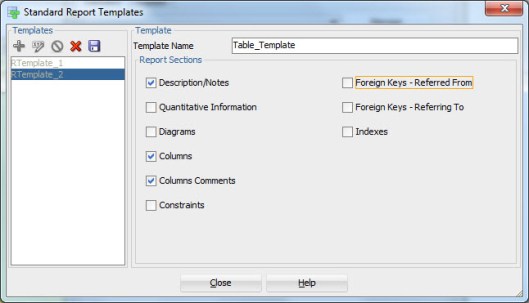
I do not understand why there are configurations and templates related to reports in Data Modeler. What is the difference and when are they used?


A Template describes what element types and their properties will be included in the report. For instance Tables, their descriptions, Columns and their Comments.

template


While as a configuration defines which objects of the selected element type will be included in the report. For instance tables: Customers, Orders, Products and Orderlines, or any table that is included in the subview Movie.

configuration


New reports in Data Modeler 4.2EA

10 Saturday Dec 2016

Posted by Helifromfinland in Data Modeler

≈ 1 Comment

I have posted about some of the new features we will see in version 4.2 and currently see in 4.2EA. Here’s one more:

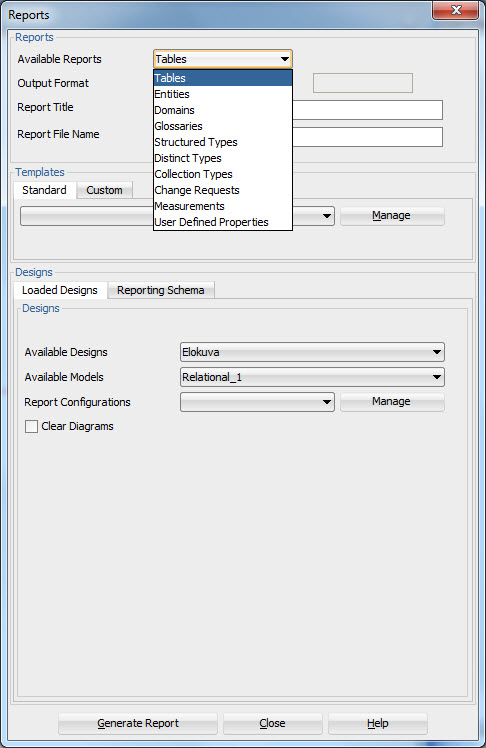
In 4.1.5 we have these reports available:

reports415

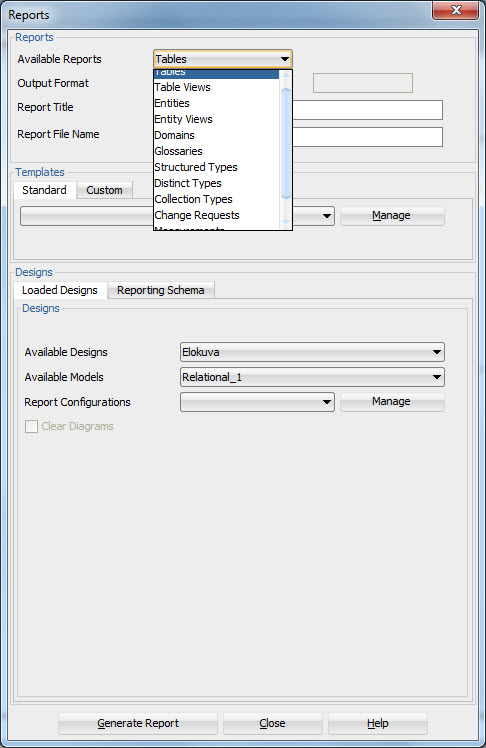
and in 4.2 we have those as well as some new ones: Table Views and Entity Views.

reports42ea


#DOAG2016

03 Saturday Dec 2016

Posted by Helifromfinland in Events

≈ Leave a comment

My last event this year was DOAG 2016 in Nuremberg. Since the event was in Germany it all started with a…beer…

beer

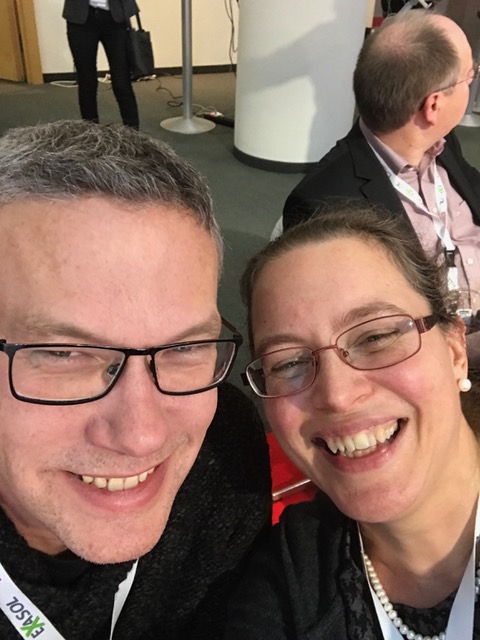
DOAG is one of the best organized user group events in this planet! And the venue is the best possible one with several floors each having its own restaurant for lunches. Also DOAG has a great number of attendees meaning you will meet plenty of friends. I started it by meeting (accidentally 🙂 ) Christian Berg at the railway station before the event even started!

christianberg

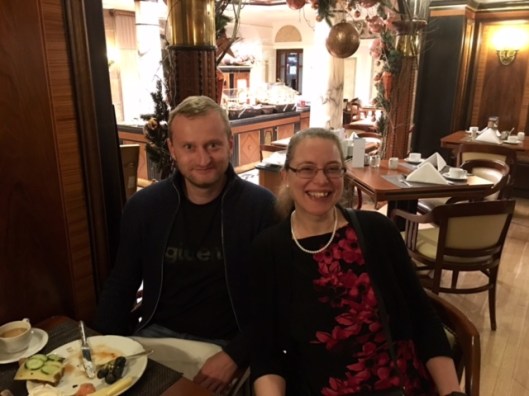
I had breakfast with Tanel Poder…

tanel

And during the event I met many, many friends like Alex Nuijten:

alex

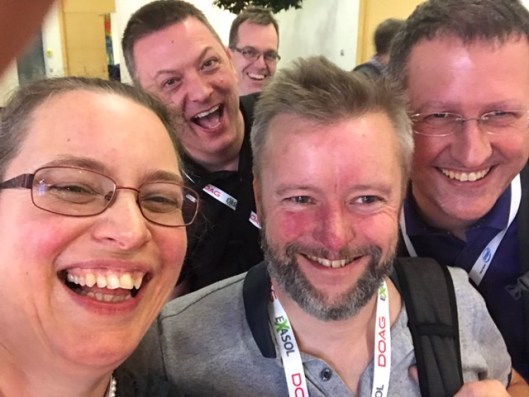
2*Martin, Neil, Mathias,…

martin

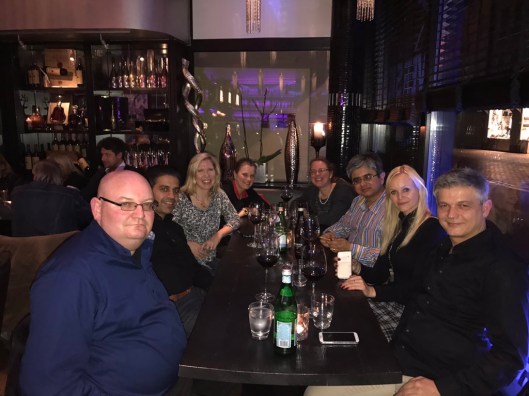
And some more friends at the dinner organized by Tirthankar and Sonja. Thank you! It was such a nice evening: great company, delicious food.

Dinner.JPG

Oh I did present too 😀

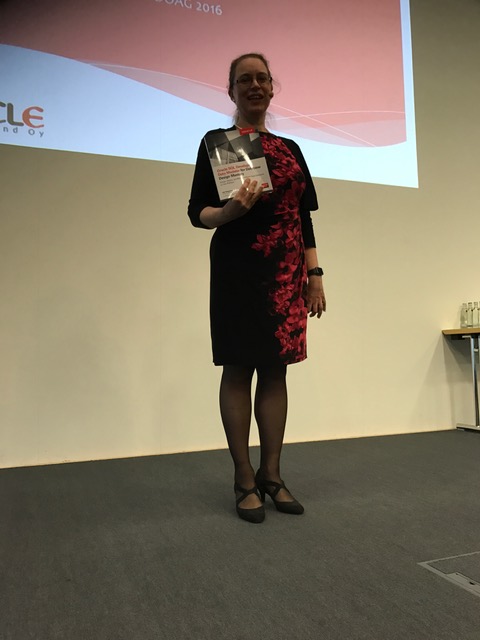
Again two talks: Database designing with Data Modeler, where I gave one of by books away as usual:

heli1

and the favourite features of SQL Developer in a huuuuge room:

heli2

Great event! Amazing presentations and wonderful people. Thank you!

— Heli

EOUC Leaders’ meeting at #DOAG2016

02 Friday Dec 2016

Posted by Helifromfinland in Events

≈ Leave a comment

Already the third time DOAG was helping the EMEA Oracle Usergroup Community (EOUC) leaders to meet face-to-face during the big event of DOAG (the German Oracle user group). Thank you DOAG for your amazing support for the community!

ug1

As always the meeting was a great success: 31 participants from 24 different user groups sharing their experience and collaborating. This time we also had two special guests from Mark Hurd’s office to hear our feedback on Oracle Cloud.

The day was full of interesting topics starting from improvement ideas on communication between user groups to our appearance at the OOW2017. We spoke about our new magazine (feel free to sign up, it’s free and extremely interesting http://www.oraworld.org/home/ ).

Thank you for attending the meeting and being so active! And thank you DOAG for making this possible!

ug2

And the mandatory WIT in user groups photo 🙂

ug3


#SANGAM16

01 Thursday Dec 2016

Posted by Helifromfinland in Events

≈ Leave a comment

In November I also attended the Sangam the first time. It all actually started in Norway at the OUGN event earlier this year. Sai from AIOUG was there and attended my session. Afterwards he came to me and said: “Heli, we need you in India!”. Because of Sai I was willing to skip one of my favourite events, BGOUG, that was at the same time with Sangam and decided to visit India.

I am glad I did. I really, really liked India! And Sangam was an amazing event. And I learned a lot about different cultures! In Delhi (I changed the plane there) I learned that you must have a tag (for stamping) in every hand luggage and in Bangalore I learned that in Finland we do not have any rush hours…

trafic

The venue for the event was a lovely hotel in Bengaluru:

hotel

Sai was extremely kind to us and organized us a wonderful sightseeing tour:

sightseeing

After the sightseeing tour we were ready for Sangam16!

speakerswaiting

One of the keynotes during the event was a guru explaining us the technology of happiness.

keynote

It was an interesting presentation. We also tried meditation and I am pretty sure I fell asleep 🙂

I gave again two sessions: my favourite SQL Developer features and database designing with Data Modeler.

heli.JPG

It was a great event!

We enjoyed the ACE dinner:

acedinner

and plenty of quality time with great people:

team

Thank you very much Sai and the AIOUG team, OTN and the ACE program for letting me to experience this! I really hope I can visit Sangam one day again!

— Heli

DDLs for Table synonyms

30 Wednesday Nov 2016

Posted by Helifromfinland in Data Modeler

≈ Leave a comment

In my company we always define synonyms for all the tables. I do not want to manually define them and actually I do not need to see them in my Browser. Is there a way to get the DDLs generated for those synonyms automatically, without defining anything?

Yes, use Table DDL Transformations.

syn1

Define the name for the Table DDL Transformation Script (in this example PrivateSynonym), define when it will be triggered (in this example After Create, meaning it will be the last DDL for the table), type the script:

syn2

Press Save. Then you can test the script by selecting one table from the Table to Test list and pressing Test.

This is what I got:

syn3

NOTE: the synonym is only created for the DDL not the design, you will not see any synonyms in the Browser.

To get the DDL generated select this script in DDL generation:
syn4

Select the tables you want to generate the synonyms and press OK.

P.S. If the DDL File Editor shows blank you might have hit a known bug.

Workaround: Go back to Table DDL Transformations and select the script. Select After Create, type a space, remove it and save the script again.

You can use this script written by Marko Helskyaho, or write your own. This one creates a private synonym for all the tables selected for DDL generation.

/*
variable ddlStatementsList should be used to return the list with DDL statements
that are created by script – as shown below:
ddlStatementsList.add(new java.lang.String(ddl));
other available variables:
– model – relational model instance
– pModel – physical model instance
– table – the table in relational model
– tableProxy – table definition in physical model
*/
var ddl;
var lname;
var sname;
prompt = model.getAppView().getSettings().isIncludePromptInDDL();
useSchema = model.getAppView().getSettings().isIncludeSchemaInDDL();
if(model.getStorageDesign().isOpen()){
if(useSchema){
lname = tableProxy.getLongName();
sname = tableProxy.getName();
}else{
lname = tableProxy.getName();
sname = tableProxy.getName();
}
}else{
if(useSchema){
lname = table.getLongName();
sname = tableProxy.getName();
}else{
lname = table.getName();
sname = tableProxy.getName();
}
}

if(prompt){
ddl= “\nPROMPT Creating Synonym for ‘”+lname+”‘;\n”;
}else{
ddl = “\n”;
}
ddl = ddl +
“CREATE OR REPLACE SYNONYM Heli.”+sname +”\n”+
“FOR “+lname +”\n” +
“;”

ddlStatementsList.add(new java.lang.String(ddl));

#OTNTOUR China, Beijing

30 Wednesday Nov 2016

Posted by Helifromfinland in Events

≈ Leave a comment

In the beginning of November I attended my first OTN APAC Tour and was speaking in Beijing. It was a busy event:

beijing1

And the first ever I could not read the agenda: I needed to ask the local people where and when do I speak 😀

beijing2

And I did speak! My first session was about my favourite features of SQL Developer and the second one was about database designing using Data Modeler:

beijing_heli

The Data Modeler session was the last one for the whole event and for some reason the previous session overrun about 45 minutes 😦 So my session started at the time I was supposed to be finishing…but no worries people stayed and I had a great audience for the session.

beijing_heli2

This was my first visit in China and I want to thank Tony Chen (user group liaison for APAC) for the great hospitality and taking the time (from his extremely busy schedule) to show me a little bit of China. And of course Jennifer for being such a fun company to travel with!

tonyjen

Thank you all my fellow speakers, it was a joy to spend time with you and to learn.

And thank you to the organizers for the great event and the amazing speakers’ dinner! When I was thinking we are done with the eating more food was brought to the table 🙂

beijingspeakersdinner

And the same food fest was also with the breakfast. I travel a lot and I see many different kinds of breakfasts in hotels but I must say the one in Beijing was one of the best ever: I cannot imagine any food that was not served at the breakfast 🙂 Just some examples:

beijing_breakfast1

beijing_breakfast2

Travelling is always good but I think this one was really eye-opening: before my trip I did not understand that I should be extremely happy to live in the country that has clean air. In Beijing I though the smog was bad when I arrived:

beijing_smog1

But I learned it can be even worse:

beijing_smog2

I really enjoyed my visit to China but due to the pollution I do not think I could live there. But from now on I will never take our fresh and clean air for granted.

Thank you OTN, the ACE Program and ACOUG!

— Heli

Comments in RDBMS

22 Tuesday Nov 2016

Posted by Helifromfinland in Data Modeler

≈ 1 Comment

I have entered the descriptions in Data Modeler (Comments in RDBMS), for tables and columns, to be implemented in the database  but when I generate the DDL the comments are not there. What am I doing wrong?

Remember the Preferences? That’s the answer again.

Go to Tools, Preferences.

Select Data Modeler, DDL and enable Generate Comments in RDBMS.

commentsddl

Now that you generate the DDLs they will include the Comments in RDBMS you have entered in Data Modeler:

commentsddl2


How to define a prefix for table names?

21 Monday Nov 2016

Posted by Helifromfinland in Data Modeler

≈ Leave a comment

I want to define a prefix for my table names. Can that be done easily? Yes 🙂

Right-click the name of the relational model in Browser and select Change Object Names Prefix:

prefix1

Select Prefix replacement, type the prefix wanted to the New Prefix field and select Add new prefix. Select Tables. Then press Apply.

prefix2

Now all the tables in selected relational model will have the new prefix in the table name:

prefix3

You can use this also to add prefixes to the names of Views, FK Constraints, Columns, Indexes, or PK&UK Constraints.

← Older posts
Newer posts →

Subscribe

  • Entries (RSS)
  • Comments (RSS)

Archives

  • October 2023
  • October 2022
  • October 2021
  • April 2020
  • October 2019
  • October 2018
  • June 2018
  • December 2017
  • October 2017
  • September 2017
  • July 2017
  • April 2017
  • March 2017
  • February 2017
  • January 2017
  • December 2016
  • November 2016
  • October 2016
  • September 2016
  • August 2016
  • July 2016
  • June 2016
  • May 2016
  • April 2016
  • March 2016
  • February 2016
  • December 2015
  • November 2015
  • October 2015
  • September 2015
  • August 2015
  • July 2015
  • June 2015
  • May 2015
  • April 2015
  • March 2015
  • January 2015
  • December 2014
  • November 2014
  • October 2014
  • September 2014
  • August 2014
  • June 2014
  • May 2014
  • April 2014
  • January 2014
  • December 2013
  • November 2013

Categories

  • Data Modeler
  • Database design
  • Events
  • General
  • Oracle
  • SQL Developer

Meta

  • Create account
  • Log in

Create a free website or blog at WordPress.com.

Privacy & Cookies: This site uses cookies. By continuing to use this website, you agree to their use.
To find out more, including how to control cookies, see here: Cookie Policy
  • Subscribe Subscribed
    • HeliFromFinland
    • Join 53 other subscribers
    • Already have a WordPress.com account? Log in now.
    • HeliFromFinland
    • Subscribe Subscribed
    • Sign up
    • Log in
    • Report this content
    • View site in Reader
    • Manage subscriptions
    • Collapse this bar
 

Loading Comments...